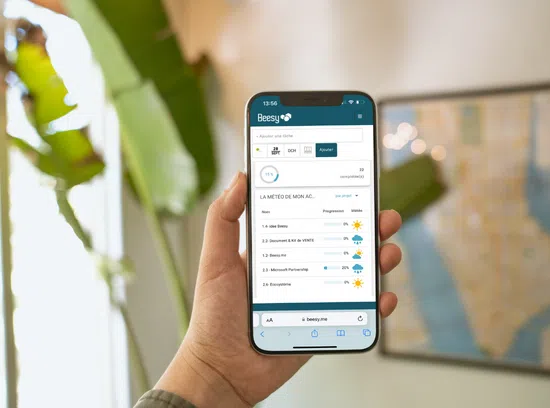
How sync iOS reminders with Yahoo Task ?
Possibility to synchronize your actions in Beesy with the application “Reminders” iOS with Yahoo server.
In this article, you will find the steps to activate and synchronize your Yahoo tasks to manage your actions entered into Beesy in your iPhone or Yahoo account from your laptop. Thus, you can manage your ToDo to any time of the day.
Warning: You must make sure that Beesy is authorized to access the “Reminders” on your iPhone or iPad. To check, go to the application “Settings” > “Privacy”.
Your iPad settings
Setting up your sync with Yahoo task should be on your iPad and iPhone. You cannot synchronize your Beesy action lists with Reminders without these steps.
First step
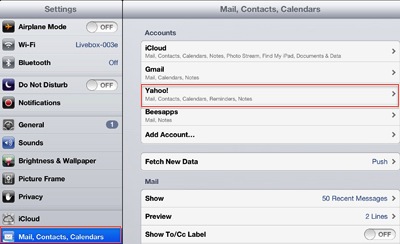
Go to the application “Settings” on your iPad, and then click the tab “Mail, Contacts, Calendar”.
You must select your account “Yahoo” to configure if this is not already done.
Second step
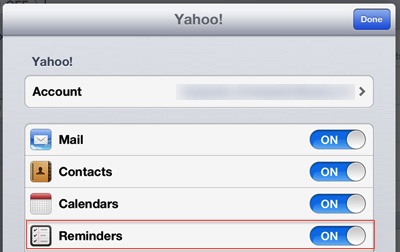
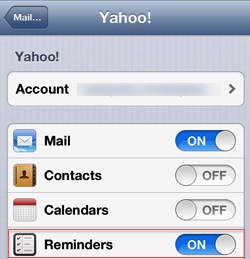
Now that you are in your Yahoo mail account, a list of options related to this account is proposed.
You must select the “Reminders”, once made a confirmation message will appear to confirm the activation of the “Reminders” to your Yahoo account.
Third step
Once the activation “Reminders” to your Yahoo email account is complete, go to your iPad app “Reminders”.
You must see that your Yahoo account is synchronized with Reminders like the picture on the right.
iPhone settings
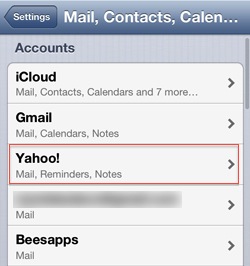
Once the settings for your iPad to sync with Yahoo task are configured, you must repeat the same steps on your iPhone.
Go in your application “Settings”> “Mail, Contacts, Calendars” and repeat the steps listed above.
Manage your tasks from your laptop
You can now access your work via your laptop by connecting to your Yahoo email account. Once connected, you must click on “Calendar” and on the right column you will find the list of synchronized actions. (Here: Task).
Clicking on a task, you edit the settings, you can change the content (Title / Date / Status) and will update all your different devices.
Now that everything is configured correctly, you only have to activate synchronization with Reminders.