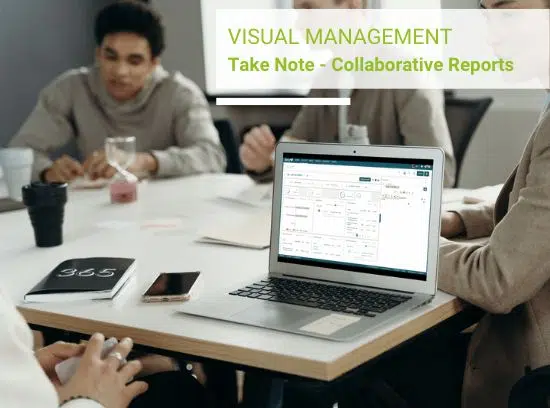
Create or update your meeting notes, directly from your activity tracking Reports At the same time as you track your...

Boostez la performance de votre activité en pilotant vos décisions stratégiques et comités de direction.
Gérez vos processus de vente et pilotez la mise en oeuvre de votre stratégie commerciale.
Etablissez vos priorités d’actions, pilotez votre activité et managez vos équipes en toute sérénité.
Agrégation des infos des outils métiers pour piloter ses collaborateurs et son activité dans Teams
Pilotez vos recrutements, vos processus internes pour faciliter le quotidien des équipes et des collaborateurs
Pilotage des missions ponctuelles avec votre équipe et résolution des problématiques Client
Gérez vos projets de A à Z, du comité de pilotage, de la gestion des tâches en mode collaborative au reporting projet.
Pilotez vos chantiers et intervenants en maitrisant vos délais. Gérez vos réunions de chantiers.
Suivi des concessions en Temps réel et pilotage de leur stratégie commerciale. Reporting automatisés
Suivi points de vente, déclinaison de la stratégie commerciale mensuelle, reportings simplifiés
Suivez vos agences, pilotez l’efficacité de vos commerciaux, obtenez des bilans de votre activité
80% du temps en réunions ? Rendez-les plus productives et économisez votre temps !
Vous échangez, communiquez constamment...Visualisez votre activité et toutes vos données
80% du temps en COPIL à vous assurer de l'avancement des projets ? Retrouvez nos astuces pour rester efficace
Souvent en déplacement ? Gérez votre activité et votre temps en mobilité avec Beesy
Présentation de l'ensemble des fonctionnalités de Beesy, de la prise de note en passant par la gestion de tâche au collaboratif
Une solution intégrée à votre environnement Microsoft pour le pilotage de vos objectifs en mode collaboratif
Mettre en place une solution de télétravail avec vos collaborateurs grâce à Beesy intégrée à Microsoft Teams
Ce cas d’usage Beesy vous donne des conseils et astuces pour organiser votre journée et dépiler votre to-do list.
LEARN AND DISCOVER BEESY
Learn how to get started & use all the Beesy features
With our tips and tricks you will be able to take advantage of Beesy’s full potential.
Jan 24, 2023 | Beesy News
Create or update your meeting notes, directly from your activity tracking Reports At the same time as you track your...

Dec 15, 2022 | Management & Productivity
Participative Management is a concept that emphasizes the involvement and participation of the team in decision making...

Nov 17, 2022 |
On Beesy, if a note is associated to an Outlook meeting via a Microsoft Teams link, you can attend the meeting...
Boost your activity performance with Beesy. Increase efficiency with a collaborative solution dedicated to business. Manage your meetings
In addition to your CRM, manage your sales processes, drive your sales strategy implementation.
Build, scale and streamline processes. Manage your teams.
Get time to be focus on your most important goals
Superboost your Microsoft office 365 tools : Beesy the smart data aggregator from different tools to manage teams and the entire activity.
Plan, Track and Manage your projects : from the steering committee, collaborative task management to project reporting.
Exceed your customers’ expectative. Manage your missions, transform your collaborators’ productivity and automate your processes with Beesy

Honeywell Customer TestimonialStructure all processes within a common platform and facilite the...

Accenture Client Testimonial "I make my life easier by taking meeting notes and by keeping...

Soulard François - Web agency manager François, Web agency manager, has kindly agreed to answer...
APPRENDRE ET DECOUVRIR BEESY
Apprenez certaines astuces pour tirer tout le potentiel de Beesy.
Jan 24, 2023 | Beesy News
Create or update your meeting notes, directly from your activity tracking Reports At the same time...
Dec 15, 2022 | Management & Productivity
Participative Management is a concept that emphasizes the involvement and participation of the...
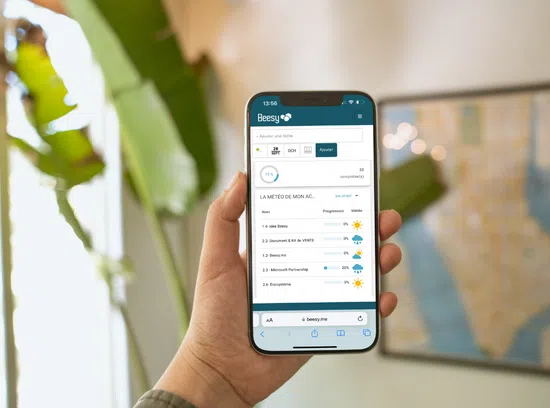
Sep 27, 2022 | Beesy News, Our last posts
At BeesApps, our goal is to provide companies with complete and fully customizable management...
FONCTIONNALITÉS

by Chloé Veauvy | Jun 13, 2019 | Features, Beesy News, Our last posts
New feature Beesy Every day, Beesy’s artificial intelligence improves to meet your demands and help you in the daily management of all your activity. Today, when you ask your Beesy assistant a question in natural language on your Teams instant messaging tool, it...