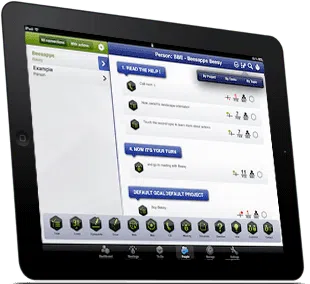
Use the best iPad apps for business and project management
Introduction to Project management in Beesy, the best iPad apps for business
The Project management view will allow you to assign your notes and tasks to projects for an easier follow-up.
The best ipad apps for business purposes enables you to have as many projects as you want, and you can group them by goals. Goals are just a way of grouping projects together and help you organize your activities.
If you’re not comfortable with the words project and goal, you can think of a project as a Tag and goals as a Category of tags.
Adding goals
To add a goal, tap on the Plus button in the top left toolbar. You will be prompted to give a goal name and priority.
You new goal will not appear instantly. It will only appear when you will assign at least a project to it.
If you wish to see all your goals anyway, tap the Plus button and select edit goals. There you can edit goals name or suppress goals. The default goal cannot be suppressed.


Adding projects and tasks
Set up a new project
To add a project, tap on the Plus button in the top left toolbar. You will be prompted to give a project name and assign it to a goal.
Beesy will add your project to the list and show it in the right section.
If you wish to edit a project, tap on the left side icon to its left. You will access this project property.
Add tasks on the fly
If you wish to add tasks to that project, you can tap on the action toolbar. Beesy will automatically link the new task to the current project. No need to take notes to add new task.
Connect your notes to your project
Or you can go in the Notes tab and directly link notes or topics to this project. By doing so, Beesy will automatically link all tasks depending from a note or a topic to the selected project.
This method will enable you to easily follow-up on actions taken during meetings by project.
To make it easier for you, Beesy only shows real tasks from your notes, the one with the In To-Do property set to Yes. This way you’re not confused with all the contextual notes you took.
Browsing Projects
By clicking on a project, you will view all tasks in Beesy depending from that project.
By default tasks will be grouped by contact but you can sort them by type of task or meeting topic as well.
If you mark a task as completed, the task will disappear from the list. You can still see the completed tasks by tapping the checkmark icon in the top right toolbar.
You can send the complete list of tasks for a project by tapping the export button in the top right toolbar.
With Beesy, the best ipad apps for business, Project management and follow-up have never been easier.